Roses Vector Line Art Collection: A Practical Guide for Designers
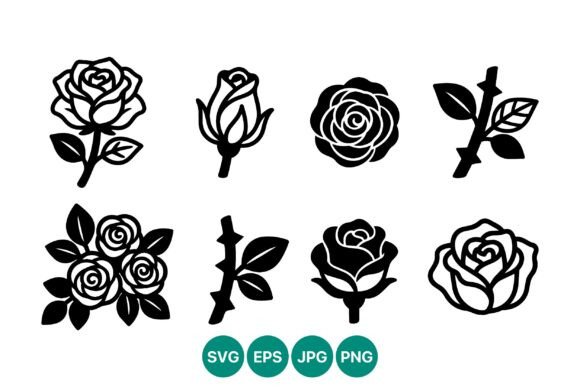
When you need a floral element that feels timeless yet modern, the Roses Vector Line Art Collection offers a compelling solution. This specific set features a monochrome vector collage of rose icons arranged in multiple silhouettes and configurations. It is designed specifically to serve as the foundation for logos, badges, and decorative designs where clarity and elegance are paramount. Unlike raster images that degrade when resized, this collection provides high-contrast artwork that remains sharp at any scale, ensuring your visual identity looks professional on everything from a business card to a billboard.
The value of this resource lies not just in the aesthetics of the roses themselves, but in the technical versatility it brings to your workflow. By including a ZIP folder with SVG, PNG, JPG, and EPS files, the collection removes the friction of format conversion. However, simply downloading a pack does not guarantee a successful design outcome. Many creators overlook critical details regarding file usage, licensing nuances, and stylistic application, leading to wasted time or subpar results. Understanding how to properly leverage these assets can transform a generic project into a polished, brand-defining piece.
Understanding the Versatility of Monochrome Rose Icons
The Roses Vector Line Art Collection stands out because of its commitment to minimalism. In an era where digital noise is constant, monochrome line art cuts through the clutter. The high-contrast nature of these vectors ensures they remain legible even when scaled down for favicons or social media avatars. This makes them particularly suitable for entrepreneurs and small business owners who need a logo that communicates sophistication without overwhelming the viewer.
For professionals working on branding packages, the variety of silhouettes included allows for cohesive storytelling. You might use a single, detailed rose silhouette for a primary logo mark and a simpler, abstract arrangement for secondary patterns or website backgrounds. The ability to mix and match these arrangements within a single design system creates a unified look that feels intentional rather than haphazard. This flexibility is often what separates a DIY attempt from a professional-grade identity.
Common Pitfalls When Using Vector Floral Assets
Despite the advantages, there are frequent mistakes users make when integrating vector collections like this one into their projects. One of the most common errors is ignoring the difference between the provided file formats. Beginners often default to using the PNG or JPG versions exclusively because they are easier to open in basic image editors. While convenient, this approach limits your creative control. Raster formats have fixed resolutions; if you stretch a PNG rose icon too large, it will pixelate, ruining the crisp edge definition that defines line art.
Another overlooked detail is the assumption that "vector" automatically means "editable." While the SVG and EPS files in the Roses Vector Line Art Collection are indeed vector-based, some users attempt to edit complex groups without understanding layer structures. If you try to change the color of a multi-layered icon without ungrouping or isolating paths correctly, you may end up with broken lines or inconsistent stroke weights. This can lead to a disjointed appearance where parts of the rose look thick while others appear thin, destroying the visual harmony of the design.
Furthermore, many designers fail to consider the context of the background. High-contrast black line art works beautifully on white or light-colored backgrounds, but placing the same asset on a dark background without adjusting the stroke color can render the design invisible. This simple oversight affects communication and presentation, making the brand appear careless. Always test your chosen rose silhouette against the actual background colors intended for the final product before finalizing the layout.
Strategic Approaches to File Selection and Usage
To avoid these issues, adopt a strategic approach to file selection based on your specific output needs. For print materials such as brochures, packaging, or large-format signage, always utilize the EPS or SVG files. These formats preserve the mathematical data of the curves, allowing printers to reproduce the lines with absolute precision. If you are handing off files to a third-party printer or a developer for web implementation, providing the source vector files demonstrates professionalism and prevents quality loss during production.
For digital applications where vector support is limited, such as certain email marketing platforms or legacy CMS systems, the included PNG files are useful—but only if generated at the correct resolution. Do not rely on the default preview size. Instead, export the PNGs from the vector source at 2x or 3x the intended display size to ensure they remain crisp on high-density Retina screens. This proactive step saves you from having to re-export assets later when you realize the images look blurry.
When customizing the artwork, take the time to familiarize yourself with your vector editing software's grouping tools. Before altering stroke weights or colors, inspect the layers. If the rose icons are grouped, ungroup them to access individual elements. This allows you to adjust the line weight of the petals independently from the stem, giving you finer control over the visual hierarchy. Consistency in stroke width is key to maintaining the elegant feel of the Roses Vector Line Art Collection.
Evaluating Quality Before Integration
Before committing to using any asset in a client project or personal brand, perform a thorough quality check. Zoom in to 400% or higher on the vector file to inspect the anchor points. Well-constructed vectors should have smooth curves with minimal unnecessary nodes. Excessive anchor points can cause rendering issues in web browsers or slow down printing processes. The Roses Vector Line Art Collection is engineered to be clean, but verifying this ensures you aren't introducing technical debt into your workflow.
Also, consider the scalability of the design. Print out a small version of the logo or badge you are creating. Does the intricate detail of the rose petals disappear? Sometimes, a highly detailed silhouette works well digitally but becomes a muddy blob when printed at a small size on paper. In such cases, opt for one of the simpler arrangements or silhouettes provided in the collection. Simplicity often yields better results in physical applications where fine lines can get lost due to ink spread.
Maximizing Value for Your Creative Projects
The true potential of the Roses Vector Line Art Collection is unlocked when you treat it as a toolkit rather than a finished product. Use the monochrome nature of the icons to experiment with negative space. You can invert the colors to create striking contrast effects or combine multiple rose icons to form larger, more complex patterns for textiles or wallpaper designs. The inclusion of multiple arrangements means you have options for both focal points and subtle textures.
For marketers and bloggers, these assets offer a cost-effective way to elevate content visuals without hiring a freelance illustrator for every post. By mastering the proper use of SVG and EPS files, you ensure that your brand maintains a consistent, high-quality look across all touchpoints. Avoid the temptation to rush the process by skipping format checks or ignoring background compatibility. Taking the extra few minutes to verify your setup now will save you significant frustration and revision costs later.
Ultimately, the decision to use a vector collection should be driven by the need for reliability and adaptability. With the right approach, these rose icons become more than just decorative elements; they become integral components of a robust visual strategy. Whether you are launching a new startup, refreshing an existing brand, or simply looking to add a touch of elegance to a personal project, understanding the mechanics behind these files empowers you to create work that truly stands out.